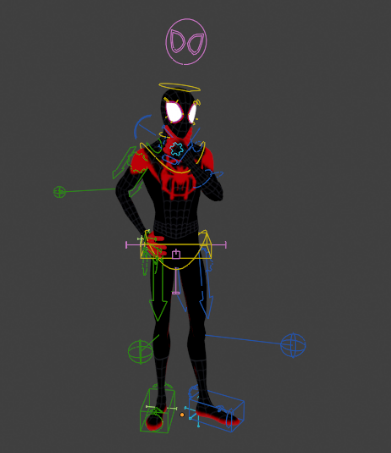
00:00 - What Is This?
00:49 - How Does It Work?
02:25 - Opposable Arm IK Chain
02:55 - Plantigrade Leg IK Chain
03:20 - Spline Spine IK Chain
04:14 - Timelapse, Achievement & Credits
IK/FK toggle and snapping for the limbs
Stretchy IK toggle for the limbs and spine
FK Hinge toggles and snapping
IK Parent switching and snapping
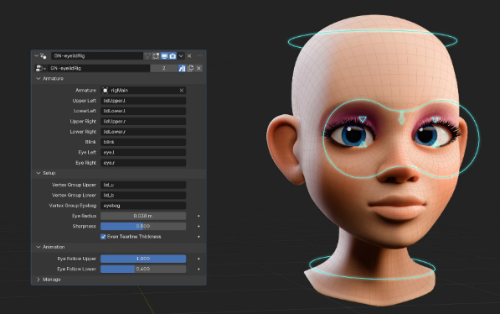
Layered face controls with shape key correctives
Designed with newcomers and pros both in mind
No add-ons required! All required scripts are included with the .blend and will auto-run when opening the file.
AccuRIG
Quickly and easily generate a rig for your custom character models
bringing in your custom model via FBX format and define it using the AccuRIG application.
Download AccuRIG https://actorcore.reallusion.com/auto-rig
The amazing free tool from Reallusion that allows you to quickly (and automatically)
rig just about any 3D model in minutes!
0:00 - Introduction
0:13 - Where to get accuRig
0:58 - How to import a character into accuRig
1:04 - Example Character File Location
2:10 - Adjusting the body rig
3:23 - Adjusting the hand rig
5:01 - Free animations from ActorCore
5:49 - Importing the model/rig into Blender
6:44 - Using Auto Rig Pro and Quick Rig to quickly set up your rig in Blender
0:00 AccuRig Intro
0:30 My Wishlist
1:17 NEW Force Symmetry
2:30 NEW Scene Stats
2:58 NEW Orthographic Views
3:15 NEW Wireframe mode
4:29 Did we get undo?!
5:10 NEW Center Plane and Symmetry
6:03 Wireframe for finger rigging
6:23 NEW Finger placement
7:20 NEW Display Bones
Skecthfab modeli (Model Skectfab Denys Almaral tarafından sağlanmıştır.)
Mixamo vs AccuRig
Accurig/Character Creator 4
Free Automatic Character Rigging
00:00 Intro
01:03 Getting Started
01:24 Rigging A Character
02:27 Previewing Animation
02:43 Exporting A Character
02:54 Review Tools
03:42 Joint Refinement
04:39 More Information
05:11 Rigging Asymmetrically
07:02 Pose Offset
08:02 Additional Information
09:05 Final Words
AccuRig -- Finally A Mixamo Killer?
AccuRig is available for Windows (sadly only Windows) and enables you to rig characters in just seconds, completely free.
Rigger
Modular auto-rigging for Blender 4.2+ (tested on Blender 5.2).
Quick start
Reference: click Human, or select your mesh, go to Front view (Numpad 1) and place the six Smart Markers, then click Fit Reference to Markers. Tweak the bones in Edit Mode if needed. Already have a skeleton? Use Quick Rig instead of steps 1-3.
Generate: click Generate Rig.
Skin: select the mesh(es), then shift-select the rig and click Bind.
Animate: use the controls. The Animate panel holds IK/FK switching and baking, the selected control's properties, pins, rig layers and bone collections. Rig Tools has poses, pose blends, shapes and shape keys.
Retarget (optional): set the animated armature as Source and your rig as Target, click Auto Map, check the list and click Retarget.
Export: File > Export > Rigger Game Rig or the Export panel (FBX, glTF).


 Locked